



Key insights from the 2027 eCommerce Planning Kit
Your business already paid for its 2026 lessons in ad spend, promotions, launches, and team hours. The kit's three year-end reviews turn those lessons into decisions for 2027. This page summarizes what each review looks for, how to decide, and the Skill prompt that goes with it.
- Audience: an audience plan with one group to grow, one to protect, and one to test
- Operations: a written procedure for one recurring job, ready to hand to AI
- Profit: an action list for the products whose margin has moved
Strong RoAS can hide where new customers come from
A campaign can report great RoAS while most of its orders come from customers who already know the brand. Branded search is the most obvious case, not the only one. Reported RoAS can also flatter retargeting aimed at shoppers who were about to buy, promotions that pull orders forward, and any channel that takes credit for a sale another one started.
Look back: pull twelve months of sales and advertising performance for your main channels, and separate new and returning customers wherever the data allows. Compare two or three customer groups by cost to acquire, value, repeat behavior, and available scale. Compare rows within one report first, and don't add numbers from different reports into a single total.
Match the next move to what the review finds
- Invest: valuable new customers, affordable acquisition, and room to grow. Test incremental spend and watch what the added budget produces.
- Protect: strong RoAS from customers who already know you. Keep those campaigns running while you look for new-customer opportunities elsewhere.
- Improve: plenty of potential buyers but a weak conversion rate. Test the product, offer, listing, creative, or price before scaling spend.
- Measure: possible influence from a channel that is poorly attributed. Establish a baseline and run a limited test before a large budget move.
Audience Opportunity Skill
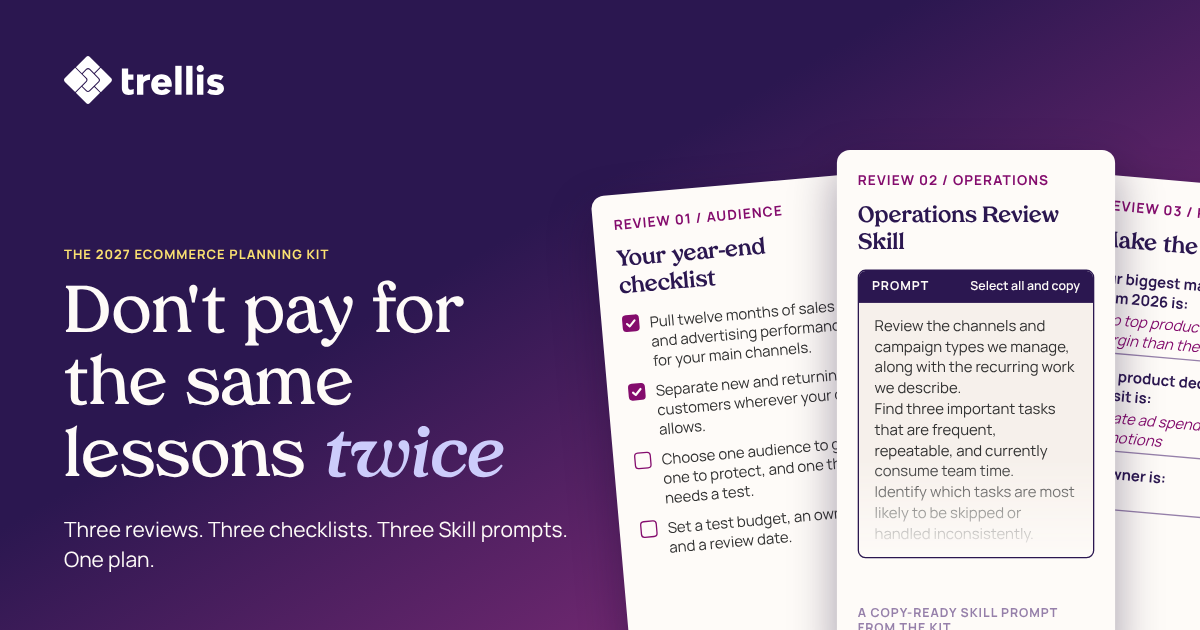
Review our 2026 customer and advertising results. Identify which audiences brought us valuable new customers, where acquisition was efficient, and where there may be room to grow. Compare channels only when their definitions are compatible. Separate measurable facts from assumptions and missing data. Recommend one audience to invest in, one to protect, and one to test, with the reasons and a small next step for each. Do not change any budgets.
What you get: a short audience opportunity table, a suggested test, and the evidence needed to decide whether to expand it.
Your best process shouldn't stop when your best person gets busy
Every eCommerce team has a person who catches what others miss. When the process lives in their head, it reaches only what they have time for. A growing catalog, another channel, or one busy launch can turn a good weekly routine into an occasional one.
Look back: take four ordinary weeks and one busy week from 2026. Use the change history in each ad platform, your scheduled reports, and your task tracker to see which jobs ran and how much of the catalog they touched. Then ask the team two questions: what did you skip the last time you were busy, and what do only you know how to do?
Sort the work by how often it comes up and what a mistake would cost
- Daily or weekly, low cost if it goes wrong: hand it to AI. Search-term reviews, budget pacing alerts, negative keyword reviews.
- Daily or weekly, high cost if it goes wrong: AI proposes, a person approves. Bid changes on top products, budget moves between campaigns.
- Monthly or less, low cost: AI drafts, a person finishes. Monthly reporting, listing audits.
- Monthly or less, high cost: keep it with a person. Pricing strategy, promotion planning, launch decisions.
If nobody can say what a job affects, it may be one to stop doing.
Write one procedure, then hand it to AI
- When: for a weekly search-term review, every Monday, after enough days for orders to be attributed
- What to review: spend, orders, targeting history, promotions, and product availability
- What to return: terms to test, possible wasted spend, and exceptions needing a decision
- Who acts: an owner reviews proposed account changes
- How to learn: log what changed and review results the following week
An AI assistant can read a written procedure, apply it to every campaign in a report, and return the findings in a set format. Compare its output with your most experienced operator's for the first few cycles, and keep sign-off with a person for anything that affects bids, budgets, or targeting.
Operations Review Skill
Review the channels and campaign types we manage, along with the recurring work we describe. Find three important tasks that are frequent, repeatable, and currently consume team time. Identify which tasks are most likely to be skipped or handled inconsistently. For the strongest candidate, draft a one-page procedure with its trigger, inputs, checks, proposed actions, owner, approval limits, and success measure. Show what new work the saved time could support. Do not make live account changes.
What you get: a shortlist of repeatable work, one usable procedure, and a measurable first test.
A best seller can be growing sales and losing margin
The numbers behind last year's goals may no longer hold. Some cost changes arrive on a schedule, such as annual fulfillment fee updates. Others arrive mid-year with little notice: in 2026, Amazon added a 3.5% fuel and logistics surcharge to FBA fulfillment fees on April 17. A margin set in January can be out of date by spring.
Costs are the clearest case. The same question applies to how sales get credited to ads, and to what a customer is worth compared with what they cost to acquire.
A worked example: the same sale supports less advertising
Take a $25 product with $9.00 in product and landed cost, a $3.75 selling fee, and $4.00 in fulfillment. That leaves $8.25 before advertising. With a $2.50 contribution margin goal, the ad spend limit is $5.75 a unit. If landed cost rises to $9.90 and fulfillment to $4.20, the limit falls to $4.65, about 19% less, while the ad dashboard can still report the same RoAS. These figures are illustrative and exclude taxes, overhead, and returns.
Look back: start with your ten biggest products by revenue. Compare the margins you planned around with the costs you incurred. Look for costs that rose while price and ad goals stayed the same, strong sales months that also produced healthy contribution margin, and returns, fees, or attributed orders that are still settling.
Profit Readiness Skill
Review our priority products using 2026 orders, advertising spend, product costs, fees, discounts, and returns. Compare the margin assumptions we planned against the latest actual or estimated costs. Show contribution margin after advertising and an ad spend limit per unit based on the margin goal we provide. Clearly label missing data, assumptions, and unsettled periods. Identify the three products where a pricing, promotion, or advertising decision could matter most. Explain the options and do not make account changes.
What you get: a product-level view of what changed, the assumptions behind it, and a prioritized list of commercial decisions.
Read the time horizons as priorities, not a waiting period
Each review ends with a short list: one audience to grow, one to protect, and one to test; three recurring jobs; three products. The plan orders that work.
- First week: start the top pick from each review
- First month: work through the rest of each shortlist
- First quarter: extend what worked and put it on a schedule
You can run every review by hand or with the AI tool you already use. With supported accounts connected, Qore can run the same review as a scheduled Skill. It asks for approval before changing an account by default, and your team decides which workflows can run without it.