



More ideas than hours? Start here.
Qore turns the account work you keep deferring into scheduled workflows across Amazon, Walmart, TikTok, and Google Ads. Describe the review in plain language, set your rules, and Qore runs it against your connected account data. Findings, reasoning, and proposed changes come back in a queue for your approval.
- Approval on by default. Turn it off per workflow when you're ready.
- Reasoning attached to every recommendation.
- A demo-data sandbox to explore before you connect an account.
Every account has a list of things worth doing, and it isn't only ads.
Each one makes sense on its own. Together, they're another week of work, and the week is already full.
Pull spend on the ASIN nearing stockout
Three weeks of inventory left, and the Amazon and Walmart campaigns are still bidding like there's a full warehouse behind them.
Reprice the hero SKU, then revisit the coupon depth
Margin moved, competitors moved, and the coupon has run at the same depth since spring without anyone tracing what it costs.
Get the reorder in before days of cover run out
Two products are drifting toward a restock problem. The purchase order should have gone in last week.
Review the two listings that stopped converting
Traffic held. Orders didn't. Somebody needs to read the page the way a shopper does.
Turn this week's numbers into Monday's deck
The data sits in four tabs across two platforms. Someone still has to make it a story the client can act on.
Find out what the shopper's AI recommends
Share of voice on Amazon is one question. What ChatGPT or Perplexity suggests when someone asks what to buy is another, and nobody has looked.
Qore gives that work a schedule, and gives you the final say on what reaches the account.
An assistant and a workflow builder, wired into your account.
Answers from the account, not from a pasted report
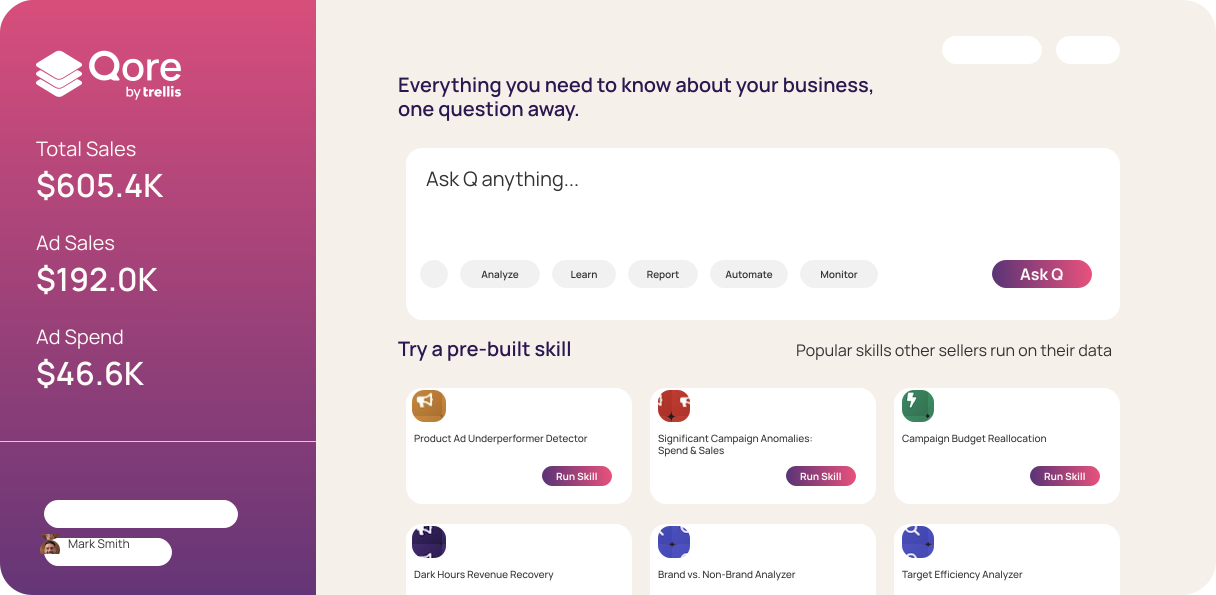
Ask Q what drove the TACoS change this week. It reads your connected accounts, compares performance with your targets, looks at recent changes, and explains what's behind the number. Ask it to keep watching, and the review becomes a scheduled Skill.
One sentence in. A scheduled Skill out.
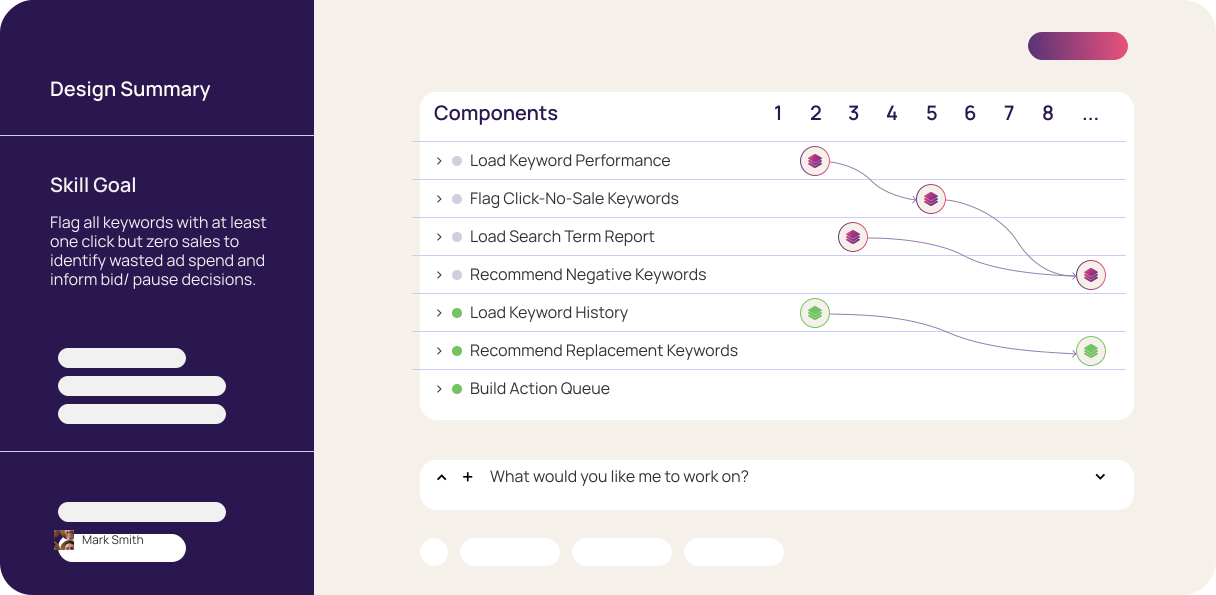
Describe the weekly review. Q asks about your thresholds and exceptions. The Builder turns your answers into a Skill with steps you can inspect, running on your schedule against live account data with the same logic each time. You review the recommendations and approve changes before they reach the account.
Every source your team already pays for, in one conversation.
Ad platforms, data tools, and the places your team already talks, read together in one answer. Qore connects to any remote MCP server natively, so next quarter's tool plugs in the same way.
- Amazon Ads
- Walmart Connect
- TikTok Ads
- Google Ads
- Shopify
- Amazon Marketing Cloud
- Jungle Scout
- Helium 10
- SmartScout
- Keepa
- MerchantSpring
- ExpandFi
- Google BigQuery
- Slack
- Fathom
- Asana
- Notion
- Google Sheets
- Excel
- PowerPoint
- Qore on iPhone
- Any MCP server
Built for operators who already know what good looks like.
Qore takes on the recurring reviews and the first pass of analysis. The judgment stays with you.
Running your own Amazon PPC
Deciding what to do was never the bottleneck. Pulling the numbers, comparing them with the targets, and preparing the changes is. Qore does that part and brings the proposed changes to you.
A backlog full of good ideas
Low-stock SKUs to monitor. TACoS to revisit. Hero products to audit. Put the repeatable reviews on a schedule and get back proposed actions with the reasoning attached.
Diagnosis before the data pull
Before a client call, the useful question is rarely "Where's the report?" It's what changed, why, and what to do next. Q works from the connected client account and shows the numbers behind its conclusions.
A pasted report gives a chatbot a snapshot. Q reads the account the report came from.
General-purpose assistants are good at the question in front of them. Qore is built on the same class of models, with your account connected, your targets remembered, and a way to turn a useful answer into a workflow that runs again.
- What it reads
A chatbot works from the export you pasted. Q works from your connected account: the performance window, recent changes, and inventory position.
- Before it recommends
A chatbot reasons from the snapshot. Q compares the current bid, recent adjustments, and your targets, then prepares a recommendation.
- What it remembers
A chatbot starts over next session. Q keeps your targets and previous work in context.
- What happens next
A chatbot's answer gets copied somewhere. Q's answer can become a scheduled Skill, with any account changes waiting for your approval.
Approval by default. Automation on your terms.
Every proposed change lands in a queue with the reasoning attached. Approve the batch, approve one, or send it back. Once you trust a workflow, turn off approvals for that Skill and let it run.
What sets it off
A weekly schedule, a threshold you set, or a question you ask Q. Whatever starts the workflow, it runs against current account data.
The reasoning
What it found, which rows, and how they compare with your targets. Shown before any change is proposed.
Your call
Approve, edit, or decline each proposed change. Or set the Skill to run on its own once it has earned it.
Try it before it touches your account.
No sales call required to get in, and no trial clock running once you're there.
Sign up
Create your Qore account in a few minutes. Self-serve, no approval queue.
Explore the sandbox
Run Skills against demo data to see what Qore proposes and how it explains itself.
Pay when you're ready
Qore is a straight subscription. Start it when the sandbox has shown you enough.
Connect your data
Link your ad accounts and the tools you already run, then turn on the first Skill. Approval stays on until you say otherwise.
What it looks like once it runs.

Questions that used to need a custom report or manual reconciliation now have a standing, refreshed answer. Where a decision would have waited on a data pull, it can now wait only on a judgment call.
Shameless Pets runs its per-ASIN contribution margin, coupon tests, reorder monitoring, and Q4 planning as standing Skills in Qore.
What does it cost to look? Nothing yet.
Sign up, open the sandbox, and see what Qore proposes on demo data. Connect your account when you're ready, and keep approval on for as long as you want it.