


Your Google Ads Routines, Run on a Schedule and Approved by You
MCP gets you answers from Google Ads. Qore turns them into routines that run on a schedule: wasted spend, budget pacing, Performance Max, and Shopping. It asks before acting, unless you tell it otherwise.
The Routines That Protect Your Budget Are the First to Slip
You know what a well-run account needs each week. The hard part is doing it on every account, every time.
Bids and Budgets Paced by Hand Across the Roster
Google can spend up to twice a campaign's average daily budget in a day. Across a full client roster, the pacing spreadsheet falls behind and the overspend becomes a client conversation.
Performance Max Shows More Than It Lets You Steer
Channel and search term reporting arrived, but most controls are still indirect. Keeping spend on the products that sell takes a regular pass through asset groups, search terms, and product-level spend.
Search Terms Nobody Has Time to Go Through
Irrelevant queries keep spending between passes. The fix is known: find the terms with clicks and no conversions, then add negatives. It slips because the same people run every other channel.
Three Jobs AI Already Does on Google Ads
What each one does well, and where it hands the work back to you.
- AI That Bids
Smart Bidding, Performance Max, and AI Max set bids in the auction in real time, on signals no outside tool sees.
It runs the auction, not your routine. Pacing across accounts stays with your team.
- AI That Answers
Claude and ChatGPT, connected to your account, give fast, plain-language answers from live data.
It works when you ask. The schedule, the approval step, and the record of changes are yours to build.
- AI That Acts
Rules tools and autopilots make account changes for you.
Rules tools still need someone to push most changes. Autopilots apply their logic, not yours.
Qore covers what is left: your workflows, on a schedule, across every account, with approval by default.
Ask Once, Then Run It on a Schedule
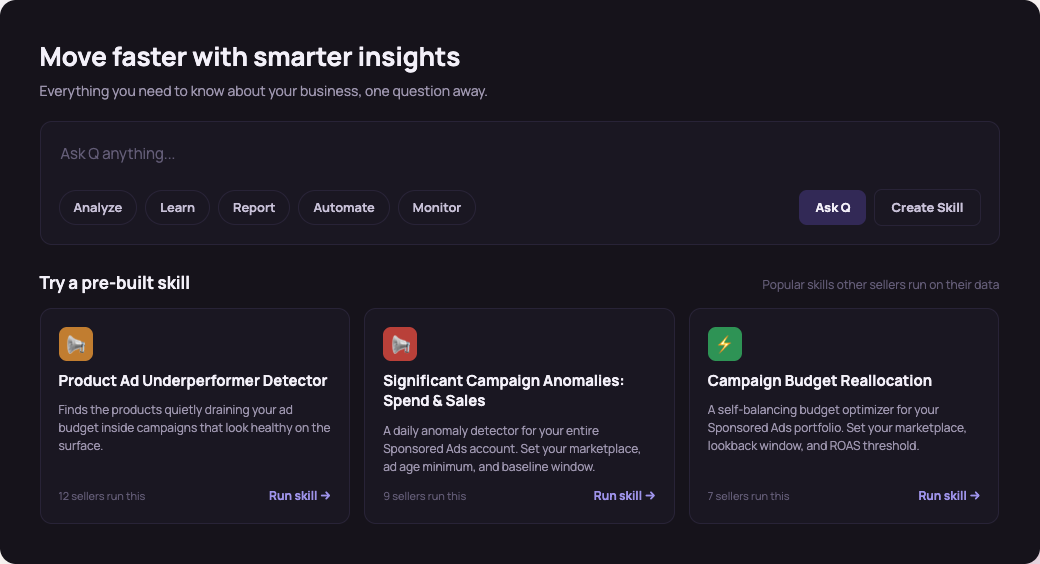
Qore is Trellis' workflow layer for advertising teams. Q answers the question, a skill turns the answer into a routine, and you decide which changes need your sign-off.
Ask Q About the Account
Ask in plain language where spend went, which search terms never converted, or which campaigns are pacing ahead.
Turn the Answer Into a Skill
Save the steps as a skill and schedule it. Same logic every run, on one account or across the roster.
Approve What Changes
Changes wait in an approval queue with the data behind them. Approval is on by default, and you can let trusted workflows run on their own.
Results land in Slack, email, or a spreadsheet.
More on How Qore WorksBuilt Around How Your Team Runs Google Ads
One Standard Across the Roster
Build a skill once and run it on every client account, with an approval trail that shows clients what changed and why.
Google Next to the Rest of Your Channels
See Shopping and Performance Max spend next to your Amazon, Walmart, and Shopify data.
Coverage That Does Not Depend on One Person
Routines keep running through meetings and vacations, and leadership can see how each change was decided.

"I think it's a great product to be honest, for agencies specifically."
"I'm pretty impressed by what you guys have built so far."
"This is a really cool tool."
From Signup to a Running Skill in Three Steps
Sign Up
Create your login at qore.gotrellis.com. No call required.
Try Qore on Sample Data
Ask Q questions and run skills on demo data before you connect anything.
Connect Google Ads and Run a Skill
Connect your account, save an answer as a skill, and schedule it. The first one can be running inside the hour.
Approval by default. Automation on your terms.
Questions Teams Ask Before They Sign Up
Is Qore a Google Ads MCP Server?
No. An MCP server gives an AI assistant access to your account. Qore does the recurring work: it connects to Google Ads, runs skills on a schedule, and routes changes through approval. Higher plans can also connect your own MCP servers.
Does Qore Change Bids or Budgets on Its Own?
Only if you tell it to. Actions default to manual approval. Once you trust a rule, you can let it run automatically inside the guardrails you set.
Does It Replace Smart Bidding or Performance Max?
No. Google's automation keeps running the auction. Qore handles the routines around it: search terms, pacing, targets, and Performance Max and Shopping passes.
How Is Qore Priced?
Qore is a subscription sized to how much you run, not a percentage of your ad spend. Current plans are shown when you sign up.

Put Your Google Ads Routines on a Schedule
Try it on sample data, then connect an account. Review first. Automate when you're ready.