



Keyword Harvest Engine
What it looks at, what it flags, what comes back, what you can change.
- Search terms from auto and broad campaigns
- Your active exact-match keywords, as a dedup reference
- Amazon, over the lookback window you set
- Conversion rate above the threshold you set
- Conversions at or above the minimum you set
- Nothing already running as an exact keyword
- Each term, its metrics, and its source campaign
- A suggested bid, capped, and an uncapped signal bid
- Ranked by harvest score, top candidates first
- Lookback days, target ACoS, minimum conversion rate
- Minimum conversions, bid cap, bid floor
- Tuned per account, per run
Which terms are ready to promote, and at what bid
Search terms + exact keywords · sample
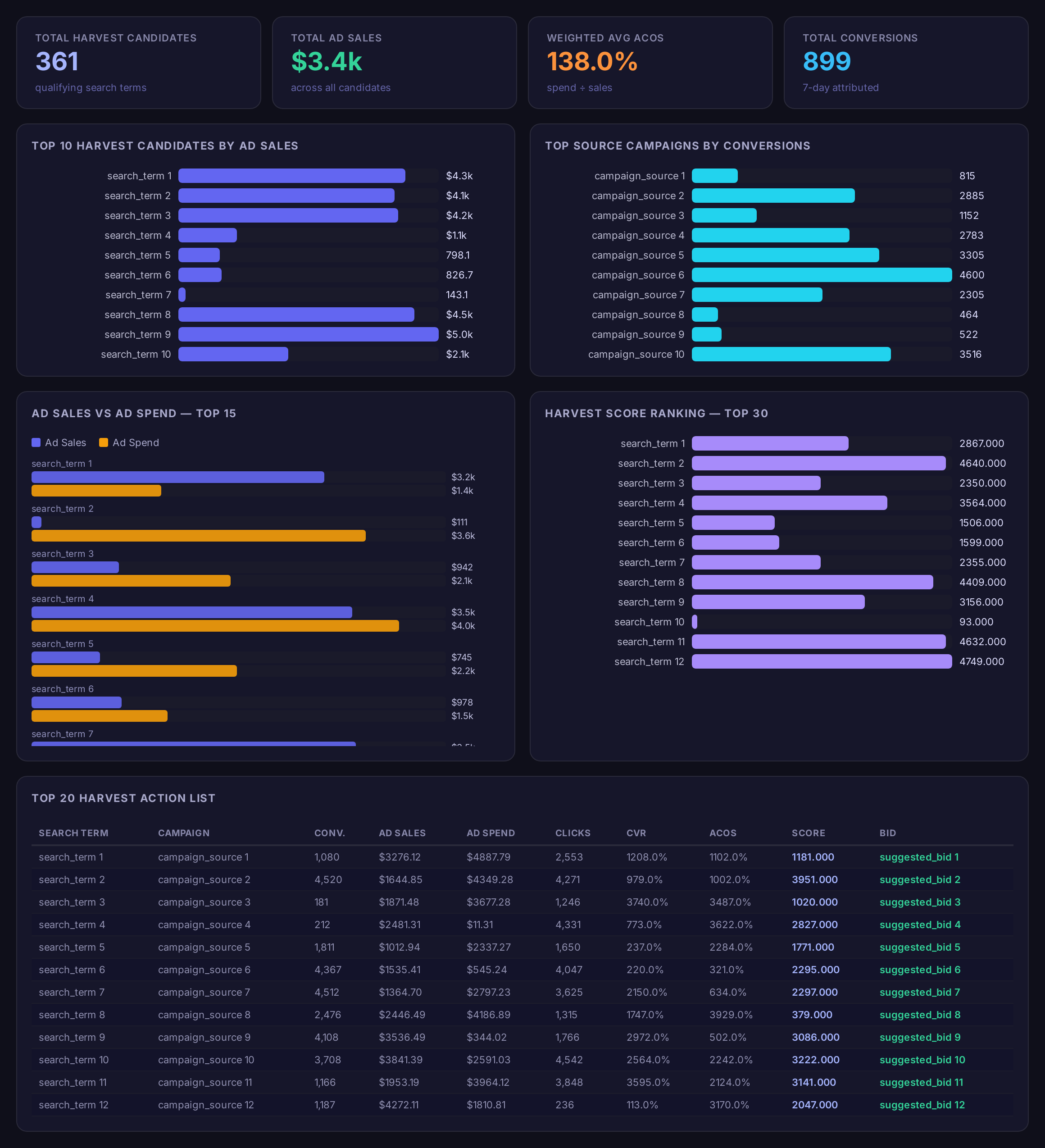
Sample figures. Your own numbers appear the first time the skill runs.
Frequently Asked Questions
This skill reads your auto and broad campaign search terms over the lookback window you set, then keeps the terms that clear your conversion rate and conversion count thresholds. What comes back is a ranked list of candidates with a suggested starting bid for each.
Because most harvests read the search term report alone. This one also loads your active exact-match keywords and removes any term already running there, so a candidate only appears if it has not been promoted yet.
No. It only reports. You read the ranked list, decide which terms to promote, and create the keywords yourself — the source campaign name is included so you know where to add negatives afterwards.
What is a harvest score?
One bid is capped and floored by the values you set, ready to use on Amazon. The other is the uncapped figure the formula produced. Comparing them shows which terms the cap is holding back.
Weekly works for most accounts, so you start each week from a fresh ranked list. After a product launch, run it more often while auto campaigns are still discovering terms.
Every one of these runs on your own account.