



9 Best Amazon Keyword Rank Trackers

Last updated: October 2, 2026 by Geoffrey Martlin
A rank tracker that only reports position tells you a keyword slipped without telling you which lever to pull. Most of the tools below stop at the number.
That gap costs you in three places. A launch stalls and you cannot tell whether bids, price, or listing copy is the cause. A defended keyword slides and the first signal is a sales dip two weeks later. A page-two keyword sits there for months because nobody owns the move onto page one. Picking a tracker comes down to one question: do you want to watch positions, or act on them?
If you only need monitoring, several standalone trackers in this guide do it well. If you want rank tied to the levers that shift it (ad spend, listing content, and price), a connected platform like Trellis fits better, because the tracking and the controls live in one place. We build one of the tools on this list, so we say that up front and show our reasoning in the open. Here are nine Amazon keyword rank trackers for 2026, from a free Chrome checker to full platforms.
Track keyword rankings instantly. Use the free Trellis Chrome Extension to check real-time organic and sponsored positions directly on Amazon.
Quick answer: the best Amazon keyword rank tracker depends on whether you need to watch or to act
- Our pick: Trellis, because rank sits in the same platform as ads, pricing, and listing content. We build it, and the criteria below explain why it ranks first.
- Best standalone for depth: Helium 10 for brands that want deep metrics and a tracked competitive set; Jungle Scout for a simple multi-keyword graph.
- Best free starting points: the Trellis Chrome Extension, AMZDataStudio, and Keyworx (up to five keywords free).
- The opportunity: connecting rank movement to the bid, price, or listing change behind it turns a weekly report into a decision.
- The limit: a tracker reports position. It does not move it, and no tool here changes that on its own.
- Before you buy: plans and keyword caps change often, so confirm current limits with each vendor.
What an Amazon keyword rank tracker does, and why a number alone is not enough
An Amazon keyword rank tracker simulates shopper searches and records where your product lands for each keyword, separating organic position from sponsored placement. It logs those positions over time so you can watch trends, confirm indexing, and compare your visibility against competitors.
Position moves for reasons outside your listing. Amazon's A10 ranking signals shift, competitors change price, and AI-assisted shopping surfaces products in new places. A good tracker tells you the rank moved. Brand Registry sellers should treat Amazon's Search Query Performance dashboard as the authoritative source for query-level share and pair it with a tracker for position movement. If rank is one input in your sales picture, Amazon Best Seller Rank is the companion metric.
How we ranked the nine trackers: connection to action first
We ordered this list on one lead criterion: does the tool tie rank movement to the ad, price, and listing levers that move it, or is it a standalone dashboard? That criterion favors our platform by design, and we would rather say so than hide it. Every other tool is described by what it does well, and the table shows the trade-off by category.
Secondary criteria: whether organic and sponsored position are separated, how often data refreshes, how much history you keep, whether competitors are tracked, and how easy the interface is to live in.
| Tool | Category | Built for | Trade-off to weigh |
|---|---|---|---|
| Trellis | Connected platform (ads, pricing, listings) | Tying rank to the levers that move it | Built for brands scaling ads and pricing together; reports and connects, does not move rank alone |
| Jungle Scout | Research suite | Simple multi-keyword rank graph | Paid suite; rank sits apart from bid and price controls |
| Helium 10 | Research suite | Deep metrics, competitor ASINs, Boost refresh | Paid suite; hourly refresh is time-limited |
| Viral Launch | Keyword management platform | Keyword bank with scores and index checks | Broader than narrow needs require |
| AMZScout | Browser extension | In-browser research and index checks | Limited trial; less reach than full platforms |
| AMZDataStudio | Free Chrome plug-in | Free indexing and backend keyword checks | Fewer options; pro tier is paid |
| SellerApp | Seller suite | Organic and sponsored together | Ongoing access means the wider suite |
| Keyworx | Standalone tracker | Tracking without a seller account | Limited free use; tracker only |
| AmzMonitor | Standalone tracker | Alerts and bulk uploads | Keyword caps per ASIN; confirm current limits |
The nine tools, in order
1. Trellis: best for rank tied to ads, pricing, and listing content
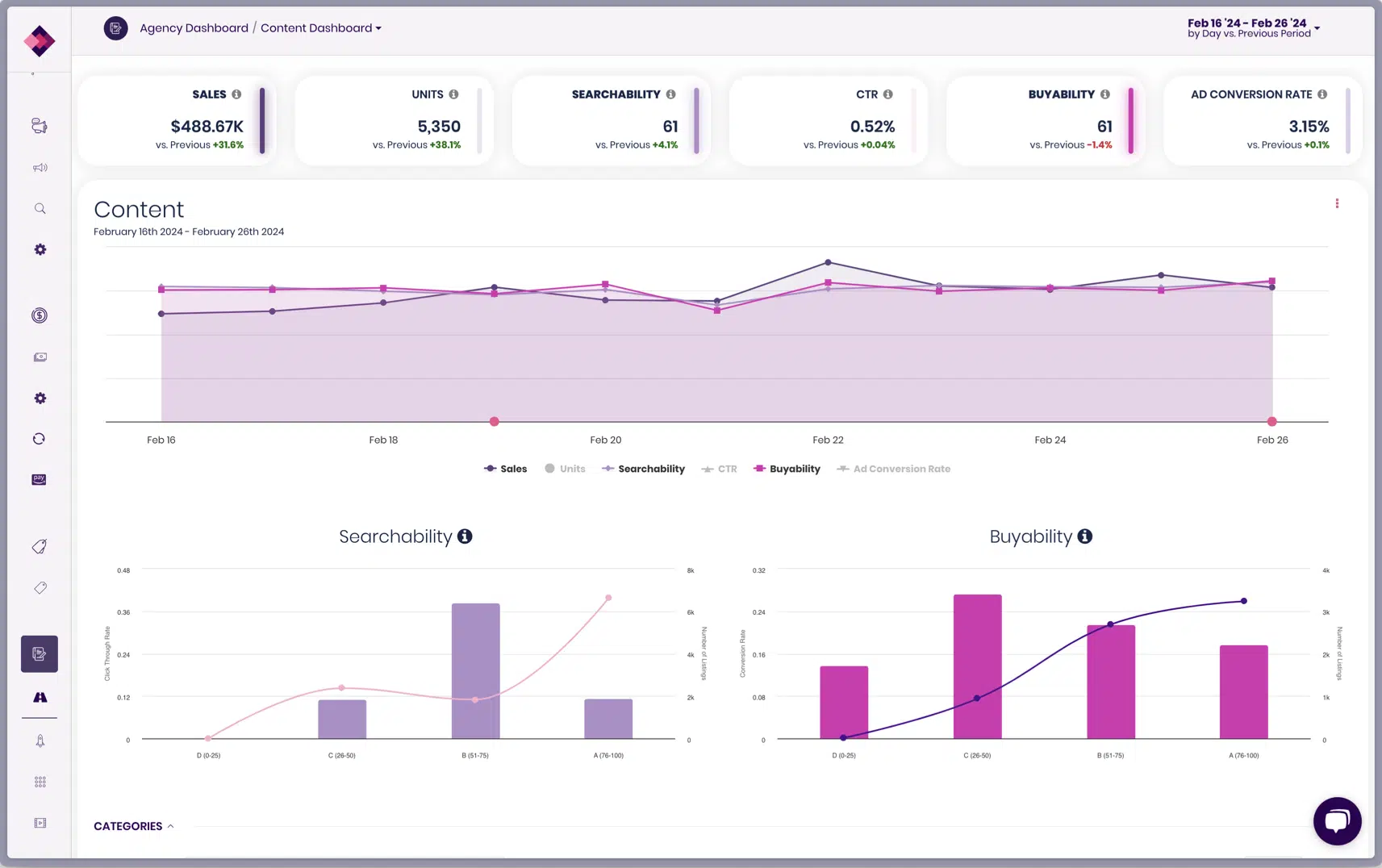
If your problem is that you can see a rank move but not why it moved, that gap is where Trellis focuses. The Digital Shelf and Share of Voice view combines organic and sponsored rank in one timeline and shows competitor presence on your keywords over time. Share of Voice measures the slice of first-page visibility you hold through paid placement; Share of Shelf measures the same through organic ranking.
Trellis also surfaces high-performing search terms from your campaigns as listing inputs through Listing Keyword Intelligence, lets you publish them into your listing content, and then measures the conversion-rate impact of the change. Ads and pricing run as parallel mechanisms in the same platform with shared visibility, so you see all three levers next to the rank they affect.
Watch for: Trellis is built for brands scaling ads and pricing together, which can be more than a single-product seller needs. It reports and connects; it does not move rank by itself.
2. Jungle Scout: best for a simple multi-keyword graph
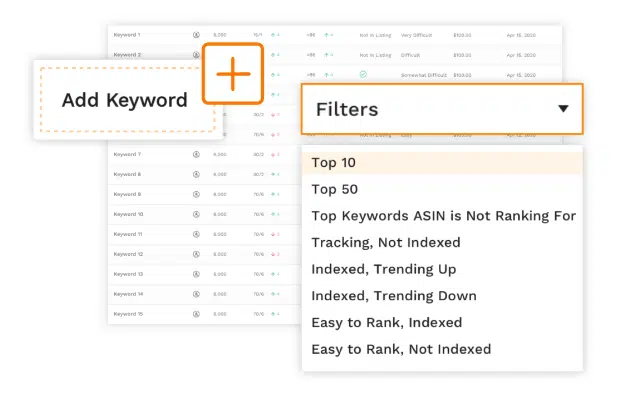
Jungle Scout's Rank Tracker charts rank history for several keywords on one graph, lets you annotate the chart to mark launches and changes, and can reverse-search a competitor's ASIN for the keywords it ranks on. You can import keywords from its research tools and compare custom date ranges.
Watch for: it lives inside a paid research suite, and rank data sits apart from the account where you manage bids and prices. Trellis covers that connection.
3. Helium 10: best for deep metrics on a tracked competitive set
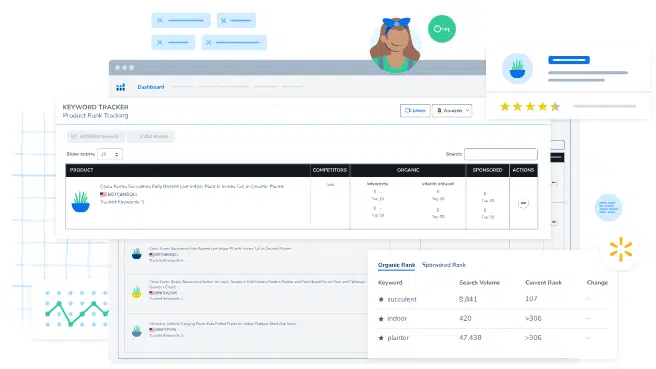
Helium 10's Keyword Tracker shows ranking positions and percentage changes over time, estimated monthly search volume, competitor ASINs you add to the set, and annotations on the graph. Its Boost option raises refresh to hourly for ten days, which is useful around a launch or a promotion. It can be filtered by marketplace, and the earlier edition of this guide covered its Walmart tracking as well.
Watch for: it is part of Helium 10's paid suite, and the hourly refresh is a time-limited mode, not the default. As with Jungle Scout, the tracker is separate from your ad and pricing controls.
4. Viral Launch: best for managing a keyword bank
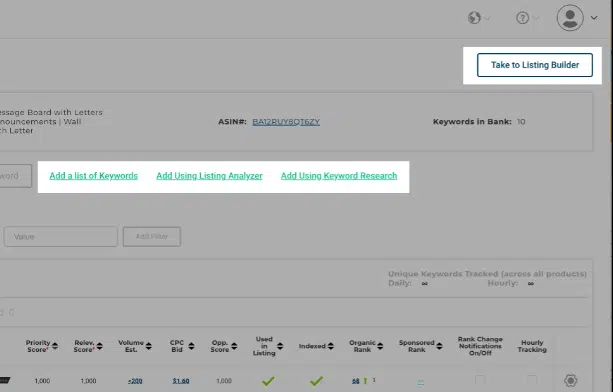
Viral Launch's Keyword Manager keeps a customizable keyword bank per product, with priority and relevancy scores, index checking, ad bid suggestions, and organic and sponsored rank history against competitors.
Watch for: it sits inside a larger platform that may be more than a seller with narrow needs requires, and bid suggestions still need someone to apply them.
5. AMZScout: best for in-browser research
The AMZScout Keyword Tracker is a Chrome extension: add ASINs, choose keywords, and see competitor counts per search term, index status, and rank and trend over time, with import and export for your other tools.
Watch for: the free trial is limited and it has less reach than a full platform.
6. AMZDataStudio: best free indexing check
AMZDataStudio's KW Index and Rank Tracker is a free Chrome plug-in. It tracks the merchant words you specify and checks backend keywords to see which terms Amazon does not treat as relevant in your listing, with suggested replacements for weak words.
Watch for: fewer options than fuller tools, and the pro version needs a monthly or lifetime membership.
7. SellerApp: best for sponsored and organic keywords together
SellerApp bundles keyword research and rank tracking, showing sponsored and organic keywords with historical trends, competitor tracking, and CSV export of keyword research.
Watch for: the trial is free, but ongoing access means buying into the wider suite.
8. Keyworx: best for standalone tracking with no seller account
Keyworx does one job: add any product and keywords, whoever sells them, and it tracks organic and paid position with daily notifications on changes and monitoring of Amazon's Choice and Best Seller badges. It does not require an Amazon seller account, and you can try up to five keywords free.
Watch for: free use is limited, and it is a tracker only, so ads and pricing stay elsewhere.
9. AmzMonitor: best for alerts and bulk uploads
AmzMonitor tracks keywords across paid and organic search, refreshes tracker screens daily, supports bulk keyword upload from an Excel template, and sends customizable alerts. It offers a 14-day free trial and a free Chrome extension.
Watch for: the plan described in the earlier edition of this guide capped tracking at ten keywords per ASIN, so check current limits before you commit.
What to do if you already pay for a standalone tracker
You do not need to switch to get more out of rank data. Four moves work with any tool on this list.
- Annotate every change. Log each bid, price, and listing edit on the rank graph (Jungle Scout and Helium 10 both support annotations) so a move has a visible suspect.
- Pair rank with Search Query Performance. Position tells you where you appear; query-level share tells you whether shoppers are choosing you.
- Separate organic from sponsored. If your tool blends them, a paid push can mask an organic slide.
- Give each tracked keyword an owner and a review day. A rank number nobody reviews on a schedule is a dashboard, not a process.
Turn the weekly rank review into a workflow with Qore
The last step in that list is the one that breaks in practice. Someone has to run the review every week, across every ASIN, and it slips when the team is busy. Qore is where you turn a review you do by hand into a workflow that runs itself. Q, its assistant, helps you build the skill; once you lock it, Qore runs the same logic on a schedule and notifies you, and any action it proposes defaults to manual approval.
Qore is in open beta, and you can sign up here. The honest limit: Qore's analysis works on its own, while automated actions such as bid changes presume Trellis is your bid manager. It will not decide your keyword strategy either; you set the standard it runs.
What to look for in an Amazon keyword rank tracker
It should connect rank to a lever you can pull
Rank data only pays off when you can trace a move to a bid, a price, or a listing change. Ask where the tool stops: at the chart, or at the controls.
It should separate organic position from sponsored position
Blended position hides the cause. A keyword you hold through ads is a different asset from one you hold organically, and your response to a slide differs.
It should refresh daily at minimum
Positions shift quickly around promotions and peak season. Daily updates, or a short burst of higher frequency like Helium 10's Boost, catch the change while you can still act on it.
It should keep enough history to show seasonality
Trend lines need context. Historical data shows the seasonal pattern that a two-week view reads as a problem.
It should show competitors on your keywords
Competitor research shows whether a drop is yours or the whole category's. If you want to build the keyword list itself, the free Amazon keyword research tool is a starting point.
It should fit how your team reports
Customizable reporting, a usable interface, and reachable support matter more than they sound. A tool nobody opens does not track anything.
Conclusion: choose a tracker by whether you want to watch positions or act on them
For monitoring, Helium 10, Jungle Scout, and the focused tools like Keyworx and AmzMonitor each lead on a different strength, and the free options are good places to start. For rank tied to the ads, pricing, and listing content that move it, Trellis is our pick, with the bias stated above. Whichever you choose, ask the same question: does your tracker connect rank to the levers that move it, or just report the number?
See organic and sponsored rank in one view alongside the ad, pricing, and listing controls. Book a demo.
Frequently Asked Questions
At least daily. Rankings can shift quickly, especially during promotions or peak season, and a daily view lets you tie a move to a change you made.
Yes. Most tools cap keyword counts by plan tier, and free tools usually allow fewer. Keyworx's free tier is five keywords, for example. Confirm current caps with each vendor.
Many do. Helium 10 lets you view data across marketplaces or filter to one, and its Walmart tracking was covered in the earlier edition of this guide. Check each tool's current marketplace list before you buy.
History shows seasonality and long-term trends, so a normal seasonal dip is not mistaken for a problem. Aim for at least a full year where the tool allows it.
Higher positions generally mean more visibility and conversions, but price, reviews, availability, and competition also shape sales. Rank is one input, not a guarantee.
An index checker confirms your listing is eligible to appear for a keyword. A rank tracker records the position you hold and how it moves. You index first, then you rank.
Accuracy depends on refresh frequency and on whether the tool separates organic from sponsored position. Brand Registry sellers should use Search Query Performance as the authoritative query-level source, paired with a daily tracker.
No. A tracker reports position. Moving it takes changes to bids, price, or listing content, which is why connecting rank to those levers matters.