



Dark Hours Revenue Recovery
What it looks at, what it flags, what comes back, what you can change.
- Advertisement spend, sales, conversions, impressions and clicks
- Campaign daily budgets, the authoritative cap each ad inherits
- Day-by-day spend and serving hours across the lookback window
- Days where spend clears the cap threshold you set
- Hours gone dark, estimated from spend velocity
- Days of budget slack, at or under your slack threshold
- One row per ad: days capped, dark hours, estimated lost revenue
- A tier — HIGH, MEDIUM, REVIEW or LOW — with a budget target
- Slack donors, the ads chronically under-spending
- Marketplace, lookback days, cap threshold
- Slack threshold, target spend utilisation, high ROAS threshold
- Changed on a run without touching the template
Where the budget runs out, and what it costs
Advertisement performance + campaign budgets · sample
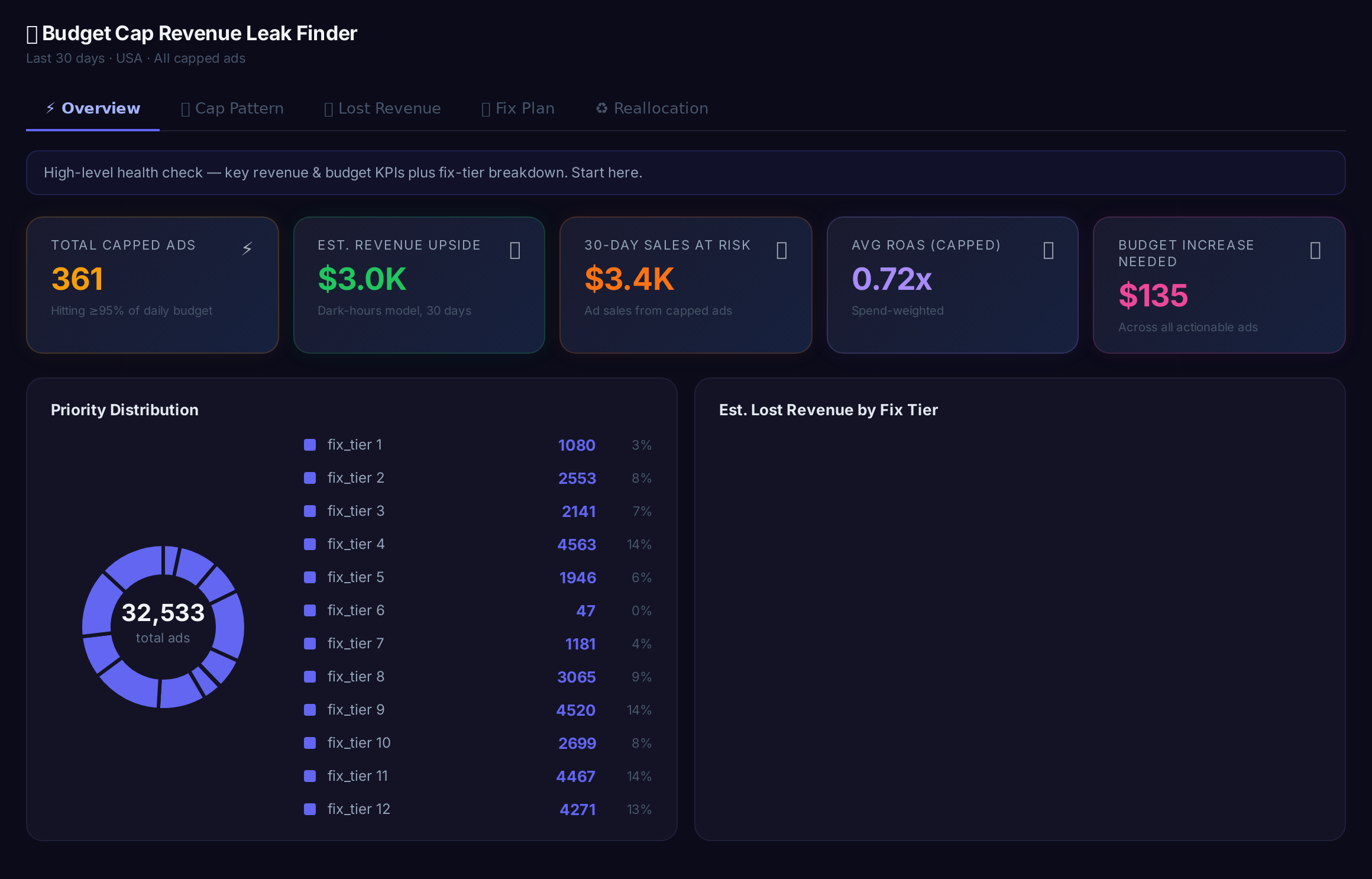
Sample figures. Your own numbers appear the first time the skill runs.
Frequently Asked Questions
This skill compares each ad's daily spend against its campaign daily budget and marks any day above the cap threshold you set as capped. Daily granularity separates consistent cappers from one-off days.
Dark hours per day are estimated from spend velocity: the share of the day's budget left unspent, converted to hours. Serving hours per day are read alongside to cross-check the estimate.
Accumulated dark hours across the lookback window are multiplied by the ad's daily sales rate. It is an estimate built from your own spend and sales data, not a forecast.
What do the HIGH, MEDIUM, REVIEW and LOW tiers mean?
No. It reports only. Every budget increase target and reallocation is yours to apply in the account.
The skill lists slack donors: ads spending at or under your slack threshold on a consistent basis, with the unspent amount attached. You decide what moves.
Every one of these runs on your own account.