



Price Optimizer
What it reads, what it signals, what comes back, what you can change.
- Daily units sold per SKU, today excluded
- The product price carried from the most recent day
- Amazon, on the marketplace you choose
- A raise threshold set above the expected pace
- A reduce threshold set below it
- Thresholds derived per SKU, not fixed targets
- Raise, reduce or no action, per SKU
- The projected new price, rounded to the cent
- A wider-band pass, so strong signals stand apart
- Marketplace, top SKU limit, lookback window
- Raise factor, reduce factor
- The address the daily notification goes to
Which SKUs are running hot, and which have gone quiet
Daily units + product price · sample
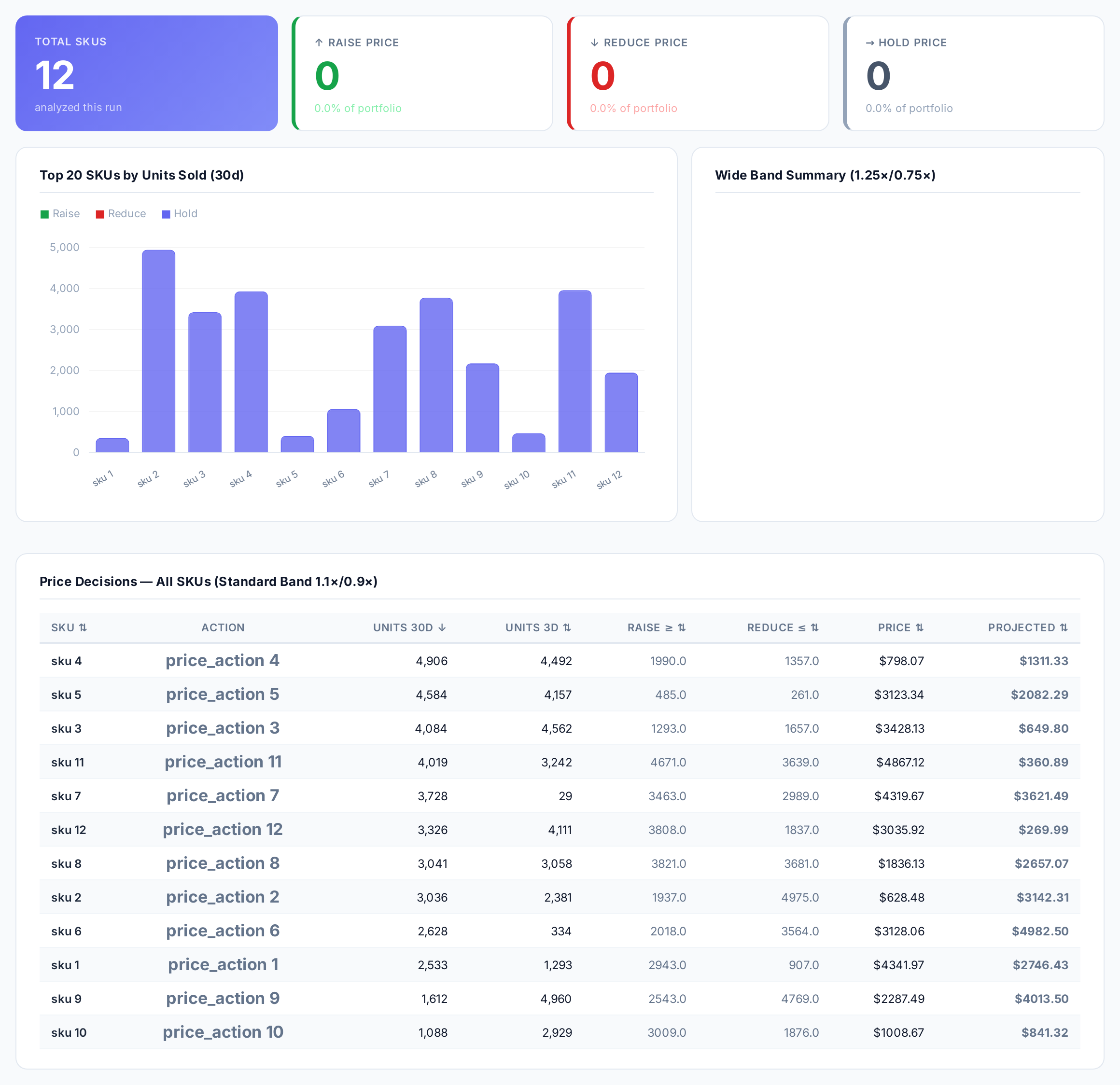
Sample figures. Your own numbers appear the first time the skill runs.
Frequently Asked Questions
This skill compares each SKU's last three days of unit sales against the pace implied by its own recent history. SKUs selling above the raise threshold come back with a raise signal and a projected price.
No. It reports only. You get a raise, reduce or no action call per SKU with the projected price, and you decide what to apply in Seller Central or your repricing tool.
It multiplies the current price, carried from the most recent day of data, by the increase or decrease factor you set. The result is rounded to two decimal places.
What does the wide-band comparison show?
Yes. It is built as a daily read, with a notification going to the address you set, so you can watch how often each SKU hits a raise or reduce signal.
Because its recent pace sat between the raise and reduce thresholds, so the call is no action and no new price is projected.
Some products would sell just as well at a higher price. This finds them, and how far you can raise.
Every one of these runs on your own account.