



Search Term Migration Engine
What it reads, what it promotes, what comes back, what you can change.
- Search term performance over your lookback window
- Query, match type, clicks, conversions, ACoS, cost, ad sales
- Advertisement target ACoS, joined in per term
- Auto to Broad, Broad to Phrase, Phrase to Exact
- Click floors set from your converting-term percentiles
- ACoS gate from the product's target, or the account median
- One new keyword per candidate, in the destination campaign
- Keyword text taken from the original search query
- An SMS with migration counts per tier
- Lookback window, marketplace, minimum clicks
- A conversion floor for each of the three tiers
- Tighter or looser thresholds for a season, on one run
Which terms earned a tighter match type, and at what volume
Search terms + advertisement targets · sample
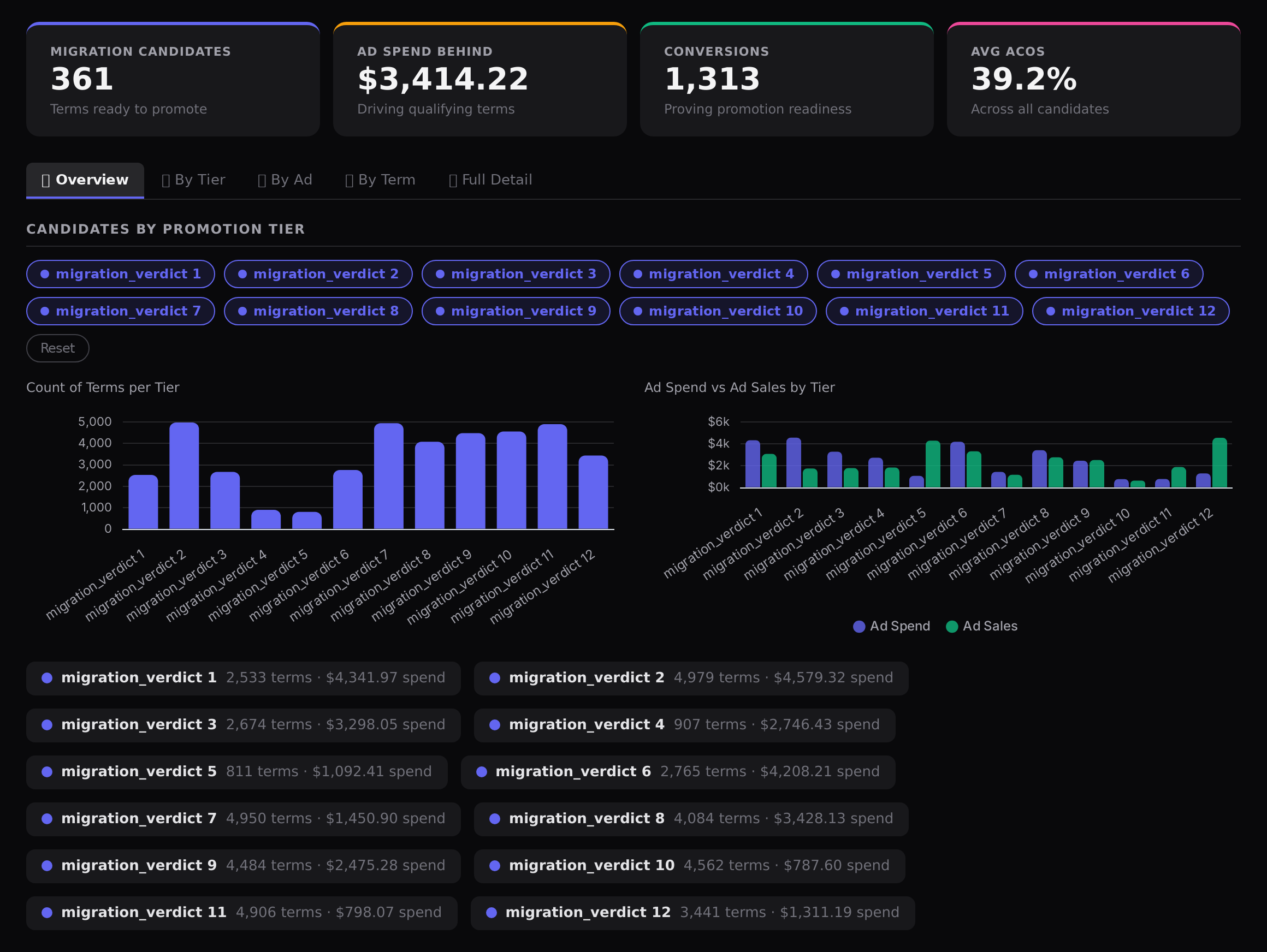
Sample figures. Your own numbers appear the first time the skill runs.
Frequently Asked Questions
This skill reads your search term report, keeps terms with clicks and conversions above the floors you set, and creates the broad match keyword in the destination campaign. It covers Auto to Broad, Broad to Phrase and Phrase to Exact in the same run.
It creates them. Each migration candidate becomes one new keyword in the destination campaign, with the promoted match type and the keyword text taken from the original search query.
They are read from your own account, from the distribution of your converting terms: the median for Auto to Broad, the 75th percentile for Broad to Phrase, the 90th for Phrase to Exact. Nothing is hard-coded, so the bar moves with your traffic.
What ACoS does it use as the cut-off?
This skill does not add negatives. Pair it with a negative keyword skill if you want to stop the auto campaign bidding on a term you have just promoted.
Weekly suits most accounts, and the skill can run on a schedule. A pass before a peak event is also useful, so your best terms sit on exact match with their own bids.
Every one of these runs on your own account.