



Keyword Cannibalization Finder
What it looks at, what it flags, what comes back, what you can change.
- Your active keywords — exact, phrase and broad
- Search term data kept per query, campaign and ad group
- Amazon Sponsored Ads, on the marketplace you choose
- Queries appearing in more campaigns than your minimum
- Total spend above the floor you set
- Zero-spend keywords left out — they cannot cannibalise
- Every cannibalised query, ranked by overlap cost estimate
- How many of your campaigns bid on each query, and avg CPC
- A recent-window table beside the primary one, for comparison
- Marketplace, lookback days, recent days filter
- Minimum competing campaigns, minimum total cost
- Changed on a run without touching the template
Where campaigns bid against each other, and what it cost
Search terms + keywords · sample
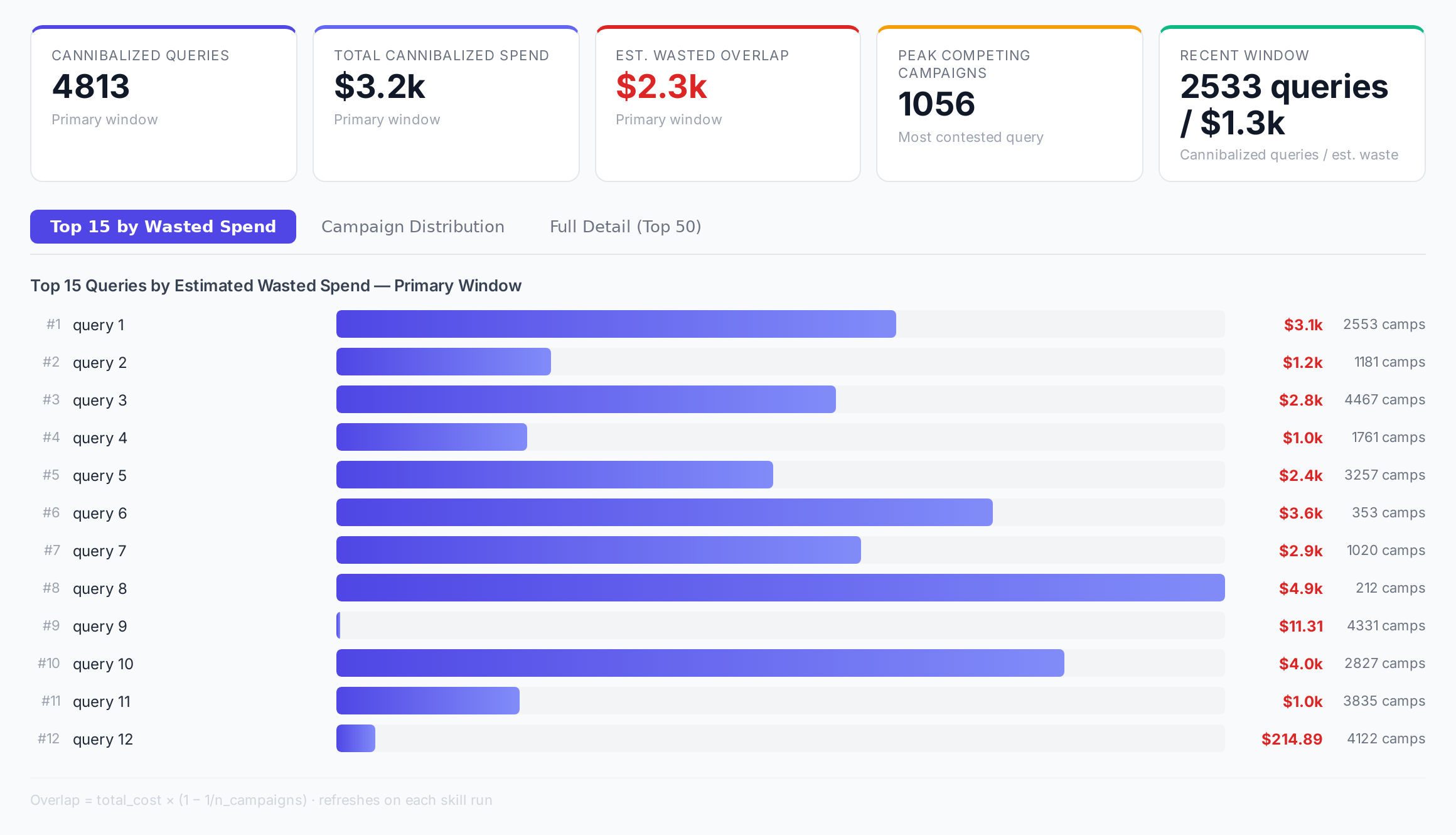
Sample figures. Your own numbers appear the first time the skill runs.
Frequently Asked Questions
This skill reads your search term data per query, campaign and ad group, then counts the distinct campaigns behind each query. Anything appearing in more campaigns than your minimum, with spend above your floor, is listed.
For each query it takes total spend and scales it by the number of competing campaigns, to estimate the share that went to internal bid competition rather than customer acquisition. Queries are sorted by that figure, highest first.
One covers your full lookback window, the other a shorter recent window excluding today. Reading them side by side shows whether overlap is shrinking or growing.
Does this skill add negatives or pause campaigns for me?
The report gives you average and total CPC alongside the competing campaign count for each query, so you can see what the shared queries are costing per click. It does not attribute a CPC change to any one cause.
Common points are before a campaign restructure, when onboarding an account, and on a weekly or monthly health check. Running it before and after a consolidation project lets you compare the two windows.
Every one of these runs on your own account.