



Match Type Efficiency Review
What it looks at, what it flags, what comes back, what you can change.
- Search term report data, over the lookback you set
- Exact, phrase and broad only — no negatives, no auto
- One row per keyword root per match type
- ROAS below the best peer for that root
- CPC above it, and conversion rate below it
- Only where the root runs on two match types or more
- Every keyword root and match type, with its spend
- A leak marker, and the gap against its best peer
- Leaking rows first, then by ad spend descending
- Marketplace and lookback window
- Which match types are kept for analysis
- Changed on a run without editing the skill
ROAS by match type, and where it trails
Search term report · sample
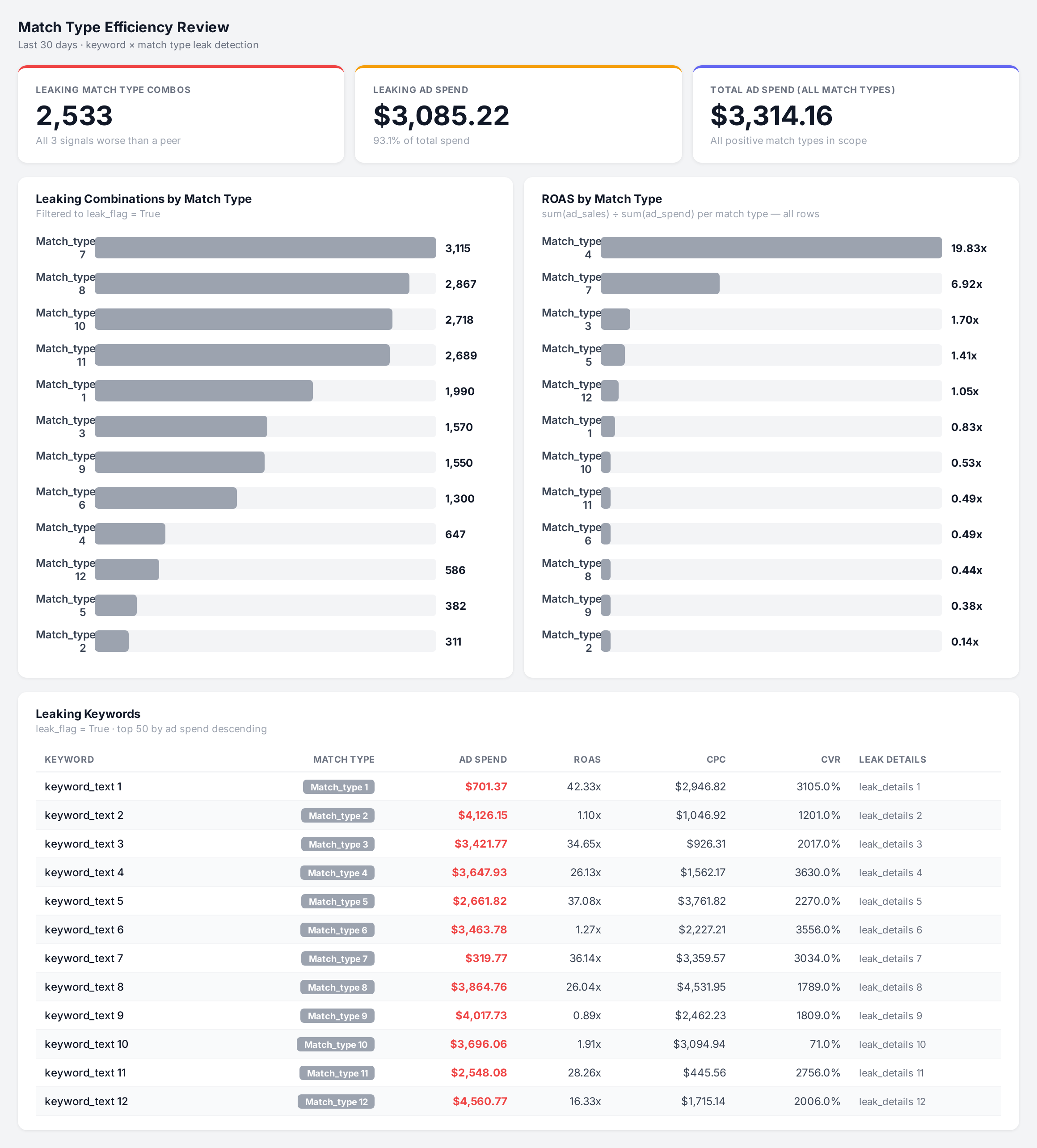
Sample figures. Your own numbers appear the first time the skill runs.
Frequently Asked Questions
This skill groups your search term data by keyword root and match type, then compares each match type against the best peer for the same root. Broad is flagged when its ROAS and conversion rate are both below that peer and its CPC is above it.
All three signals worse than the best peer at once: lower ROAS, higher CPC, lower conversion rate. A single weak metric is not enough, and the root has to run on at least two match types for a comparison to exist.
No. It only reports. You read the flagged rows and decide whether to pause the match type, reduce its bid, or add negatives in your campaign manager.
Which match types does it include?
Yes. Set the marketplace on the run, and point the skill at whichever account and marketplace you want reviewed.
The same term running in more than one campaign splits your spend and bids your own price up.
Every one of these runs on your own account.