



Underperforming Ad Budget Cutter
What it looks at, what it flags, what comes back, what you can change.
- Recent performance: ACoS, target ACoS, CVR, spend, daily budget
- A longer window, for each ad's own conversion baseline
- Amazon, on the marketplace you choose
- ACoS above that ad's own target, not an account average
- Current CVR fallen below its own baseline
- Spend above the floor you set, so there is data to act on
- Each ad's ACoS excess and CVR drop, as percentages
- Current daily budget beside the new one
- Sorted by how far above target the ad is running
- Minimum spend and cut percentage
- Marketplace and lookback window
- Changed on a run without editing the skill
Which ads are burning above target, and by how much
Ad performance, two windows · sample
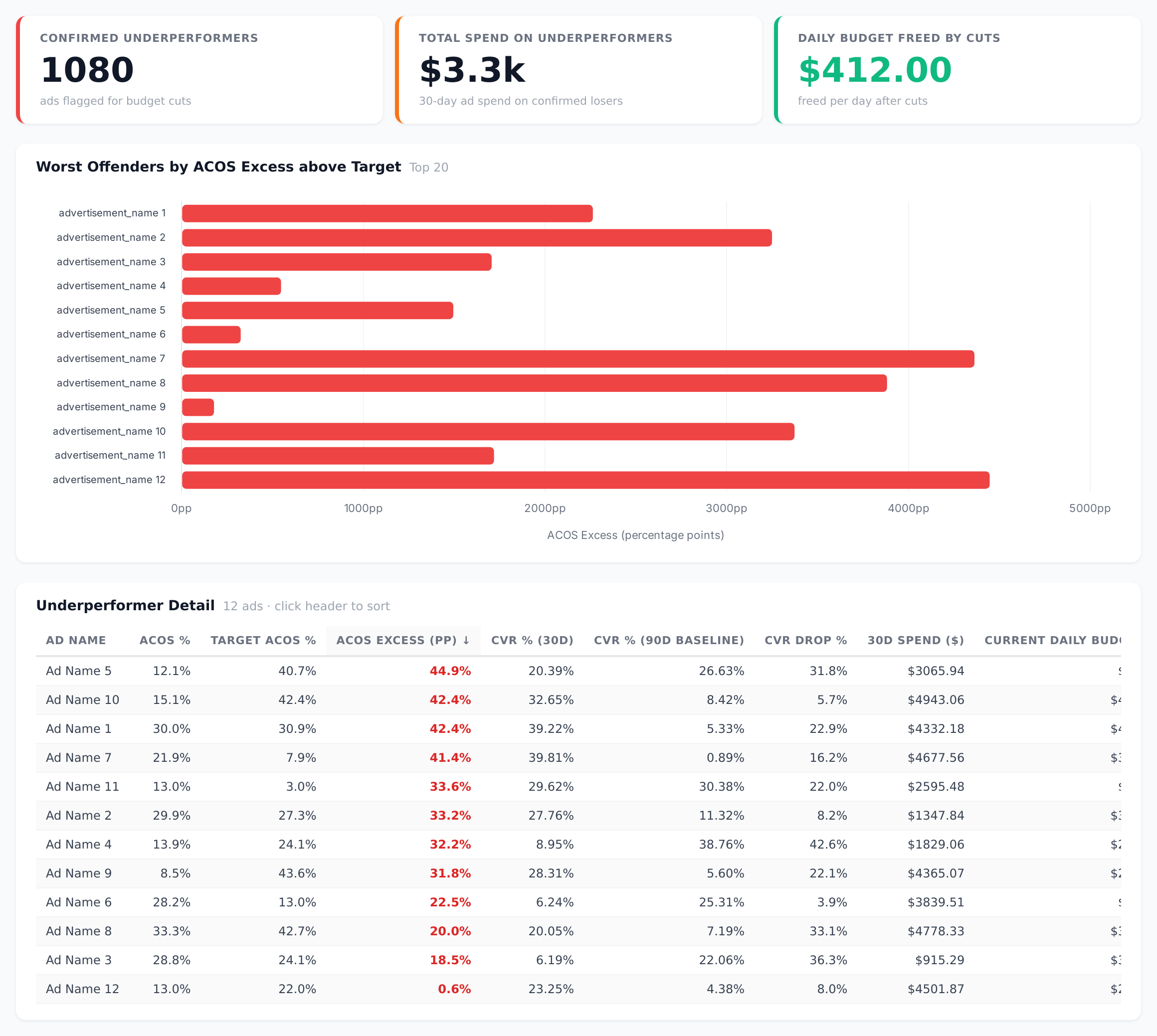
Sample figures. Your own numbers appear the first time the skill runs.
Frequently Asked Questions
This skill reads each active ad's recent ACoS against that ad's own target, confirms conversion rate has degraded against its longer baseline, then applies a reduced daily budget to the ads that fail both tests. You set the cut percentage as a whole number between 1 and 100.
It lowers the daily budget only. Ads keep running at the reduced budget, which is why a small cut percentage works as a throttle rather than a shutdown.
A wider window smooths out short-term fluctuation, and it gives each ad its own reference point. That way an ad that is expensive but still converting at its normal rate is not flagged — only ads whose conversion quality has actually degraded.
Will it cut ads with barely any spend?
The budget update is permanent once applied, so review the run before approving it. The returned table shows every flagged ad with its current budget beside the new one.
Yes. The marketplace and threshold settings are set per run, so you can point the same skill at different accounts and tailor the floor and cut percentage to each.
Every one of these runs on your own account.