



Wasted Spend Analyzer
What it looks at, what it flags, what comes back, what you can change.
- Search term reports across the lookback window you set
- Positive keywords and product or category targets
- Amazon, on the marketplace you choose
- Search terms with clicks but no conversions
- Keywords and targets above your spend floor
- Zero conversions, or ACoS past your ceiling
- Each flagged entry, what it spent, and its fix type
- The top three fixes by recoverable spend
- A negative exact keyword request per wasted term
- Marketplace, lookback window, minimum spend
- ACoS threshold, click minimum, recovery rate
- Changed on a run without touching the template
Where the spend leaks, and which fix stops most of it
Search terms + keywords and targets · sample
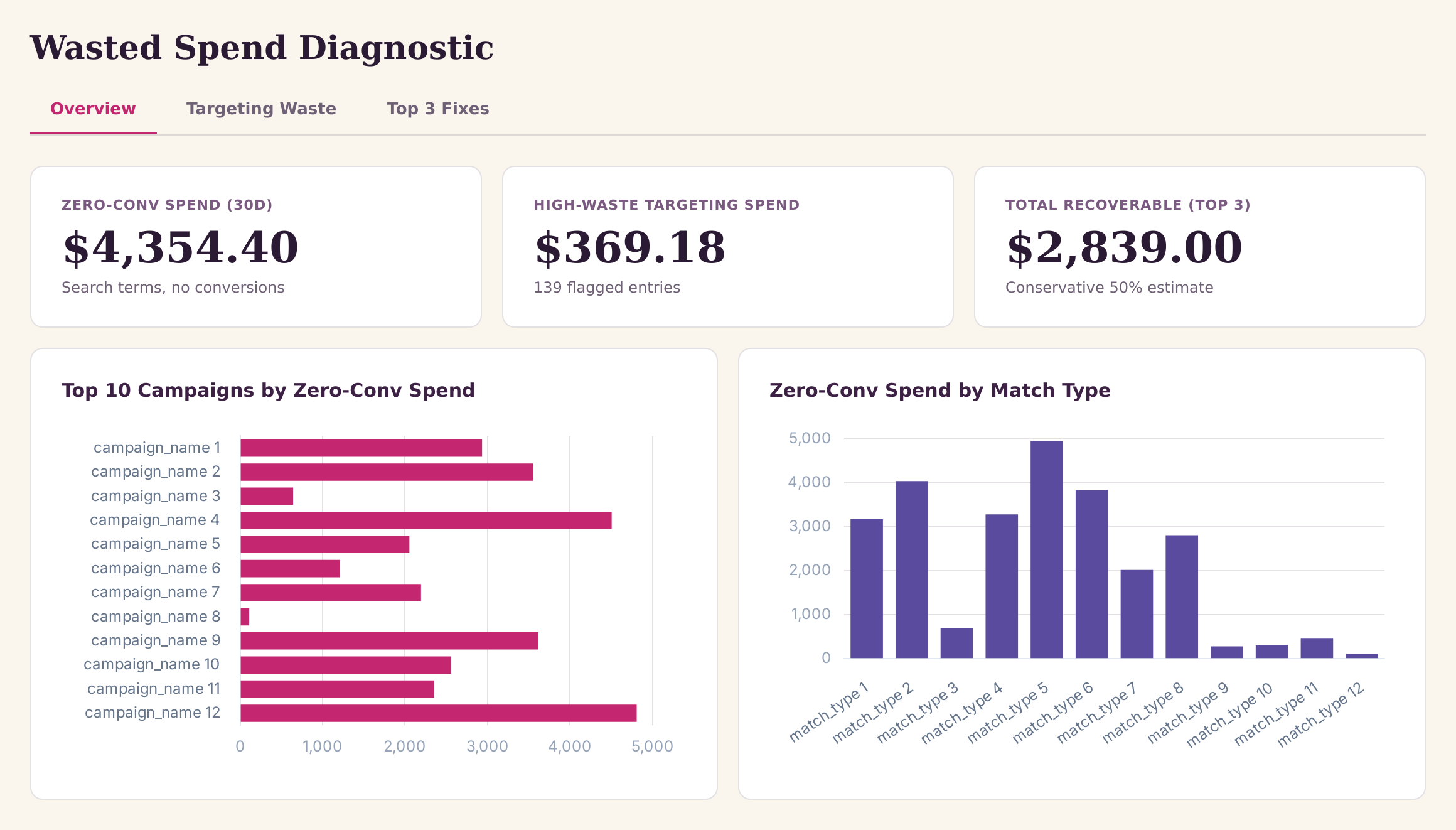
Sample figures. Your own numbers appear the first time the skill runs.
Frequently Asked Questions
This skill reads your search term report over the lookback window you set and isolates terms with enough clicks to have had a fair test and no attributed conversions. Each one comes back with its spend and a proposed negative exact keyword.
It stages a negative exact keyword request for every flagged zero-conversion search term, but nothing is created on the account until you approve it. Auto-targeting waste is left out, since that is not a keyword negation fix.
Keywords and product or category targets are read together and unified into a single ranked list. Entries are kept when they clear your minimum spend and click thresholds and either convert nothing or sit above your ACoS threshold.
What lookback window should I use for wasted spend analysis
Flagged spend is discounted by the recovery rate you set, then summed per fix type so the fixes can be ranked. It is an estimate for prioritising, not a forecast of savings.
Yes. The marketplace is a run setting, so you can point the same skill at a different Amazon marketplace or account without changing the skill itself.
Every one of these runs on your own account.